Unicat Europe Business Support System for Unicat
Login information...
| Environment | JNLP Launch File |
|---|---|
| Production | |
| Test | |
| System | |
| Production | unicatp.irisel.com |
| Test | unicatt.irisel.com |
| User | Password |
| eric | **** |
| roel | **** |
| xavi | **** |
Project log
| 13-05-2014 | Live presentation held in Antwerpen |
| 22-05-2014 | Demo & Test environment ready |
| 23-05-2014 | Delivery of Technical Proposal |
| 26-05-2014 | Acquisition of new server, migration of the systems to the new server |
| 28-05-2014 | Video Demo of Pilot Unicat BSS solution published |
| 29-05-2014 | Set up of separated Test and Production environment for Unicat. Demo environment will be stable from now on. Changes will be done out of hours. |
| 01-05-2014 | Solved SSL certificate issues. Tested on Apple/Mac OS X. Project is turned into a Workflow object (dispatch/accept/forward/reject). |
| 14-07-2014 | Received Go decision. |
| 30-07-2014 | Changes for small displays (scrollbars, fullscreen (tested on Windows platform). |
| 30-07-2014 | Automatic generation of invoice, order and quote from Project form. These documents are linked to the Project. |
| 31-07-2014 | Order, Quote, Invoice documents design ready. |
| 21-09-2014 |
- Render and visualization of Invoice, Order, Quote in HTML. - Automatic calculation of the product “unit price” x “amount” - Automatic filling of the product density - Product packaging - free text (not list of items) - Automatic relationship of the Project with the Product(s) selected in the Financial Detail tab. This is done when you click on Save Since Save button is disabled (off) except when you make changes in the Project, I have included a “Validate” button to “align” or “fix” the Project-Product relationships to match the Financial Details. - Summary row (it is a generic “sum” calculator, - Security in document printing to request login & password - Auto-login for the previous feature - Support for ordering, hiding, labelling tabs - Queue configuration: Added one queue for each user Fixes: - Invoice isue date corrected to Date (without Time) - Export to Excel – Fixed a bug affecting non-admin users and another affecting Mac OS |
| Video Demo of PILOT UNICAT BSS Solution | |
| 18-05-2015 | Migration to JAX-WS for increased performance. Field validations. Metal look and feel. |
| 18-03-2016 | SLA (Escalations, Alerts) |
| 20-09-2016 | Platform upgrade. Look & feel |
| 04-10-2016 | Product margin query. Financial detail stats query. |
How to run the application
If clicking on the Link above does not open the application, download the JNLP file to your desktop and open it normally
- Install Java (ver. 1.7 or higher) (if not already installed)
- Right click (Save As)
- Open the file (double-click)
- Mac OS X Users: Gatekeeper settings Gatekeeper default restrictions do not allow to execute applications except from App Store. Gatekeeper options are found in Apple menu / System Preferences… / Security ∓ Privacy / General tab under the header "Allow applications downloaded from:", select "Mac App Store and identified developers" More info:About Gatekeeper
- Still problems? You may add www.irisel.com and jboss.irisel.com in the exception list as described here
- Unidentified developer JWS on OS X (Stack Overflow)
In the latest OSX releases, Apple has changed it's security model to only support applications from the Mac App Store and identified developers. In most cases, this prohibits jnlp/java-web-start applications from launching. If this is a trusted application, you may override these settings by updating your system settings as follows: System Preferences -> Security & Privacy -> (Unlock Window) -> Allow apps downloaded from: (Select Anywhere)
- Unidentified developer Mac OS X Mountain Lion (iClarified.com)
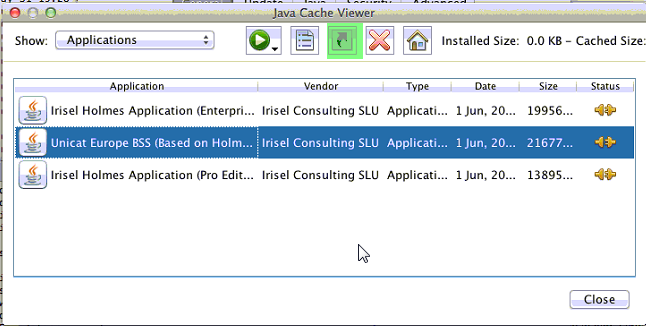
Create a shortcut (optionally)
Remarks
- In case of issues, call +41 7670 29191 or email support@irisel.com